

What are the Best Laptops for Solidworks 2026? Let’s look at what you need to know before you buy, precautions, tips, and specific information to help you make an informed buying decision.
From my experience, a suitable laptop for Solidworks 2026 should have a high-clock speed CPU of at least 3.3GHz and above, a certified GPU with at least 4GB VRAM, at least 16GB of RAM, and an NVMe 500GB storage drive. Supported Operating Systems include Windows 10/11.
What is Solidworks?
SolidWorks is a 3D CAD (computer-aided design) and CAE (computer-aided engineering) software suite developed by Dassault Systèmes. It lets engineers design, simulate, render, and manage product data, helping them move from concept to prototype more smoothly. As of 2024, approximately 3.25 million designers and engineers, across around 240,010 organizations, use SolidWorks worldwide. Over the years, Solidworks has evolved into a solid application that engineers cannot do without.
RELATED ARTICLE

Best Gaming Laptops under 3000 Dollars
We review 12 gaming laptops you can get right now, with full specifications. Buying guide included.
RELATED ARTICLE

Best Rated Laptops for AutoCAD – Full Review
We review the best Laptops for AutoCAD in this rundown. Full buying guide included.
Budget Laptops for Solidworks – Top Picks
Dell Precision 5570
Price: $649.99
4 Reviews
See on AmazonPrice incl. tax, excl. shipping
Lenovo ThinkPad P15v
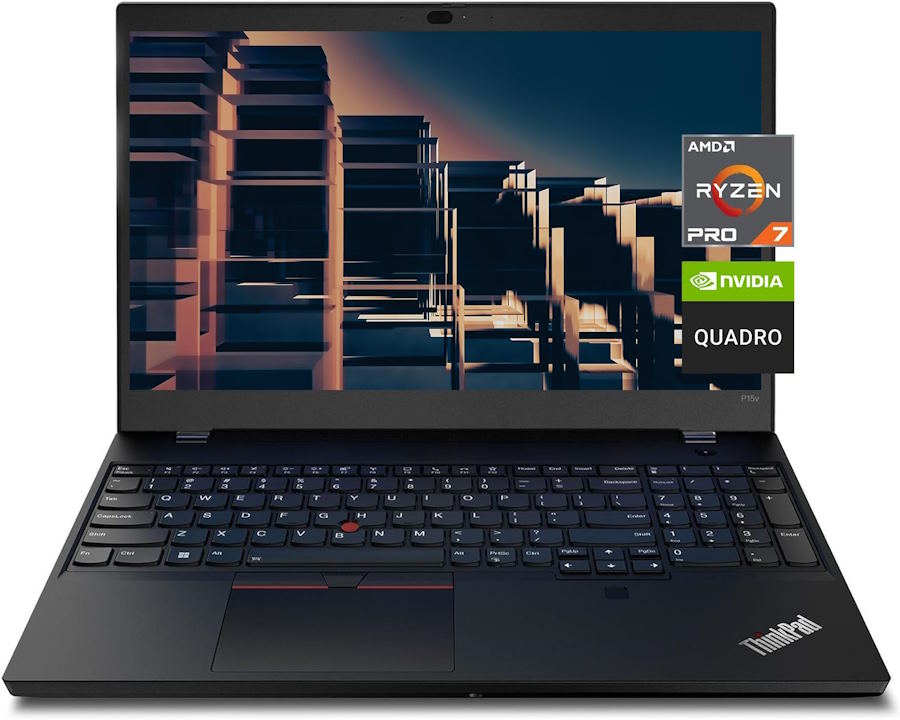
Physical Features
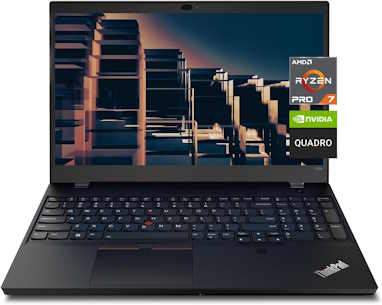
This ThinkPad keeps the familiar black, matte-plastic build: thick, boxy, and stiff enough to survive a drop off a desk. The chassis passes MIL-SPEC durability testing, and the hinges hold the lid firmly at any angle. Keyboard travel is deep and the TrackPoint nub is still there for mouse-free navigation. At 5 lb and just under an inch thick, it’s not a laptop you’ll forget you’re carrying, but the 68 Wh battery holds up well: roughly 6 hours under sustained video playback and closer to 9.5 hours in light browsing use.
Features
- Rugged chassis: tested against MIL-SPEC durability standards
- 68 Wh battery with rapid charge support
- Keyboard and TrackPoint: comfortable for extended typing sessions
- Weight: about 5 lb, thickness around 0.89 in
- Connectivity: USB4/Thunderbolt, two USB-A, HDMI, RJ45, SD card reader, fingerprint reader
Specs
- AMD Ryzen 7 PRO 6850H (8C/16T)
- NVIDIA Quadro T600 4GB GDDR6
- RAM: 32GB DDR5-4800 (expandable to 64GB);
- SSD: 1TB PCIe Gen4 (expandable to 4TB across two slots)
- Display: 15.6″ FHD IPS, 300 nits, 45% NTSC (roughly 62% sRGB)
Pros:
- Solid all-day battery life for a workstation-class machine
- Comfortable keyboard and durable, field-serviceable build
- Thunderbolt/USB4 plus a full set of legacy ports
- User-upgradeable RAM and dual M.2 storage slots
Cons:
- Single-core CPU performance trails Intel workstation rivals
- Display gamut too narrow for color-critical Solidworks rendering work
- Fan runs almost constantly, even at idle
HP ZBook Firefly 16 G10
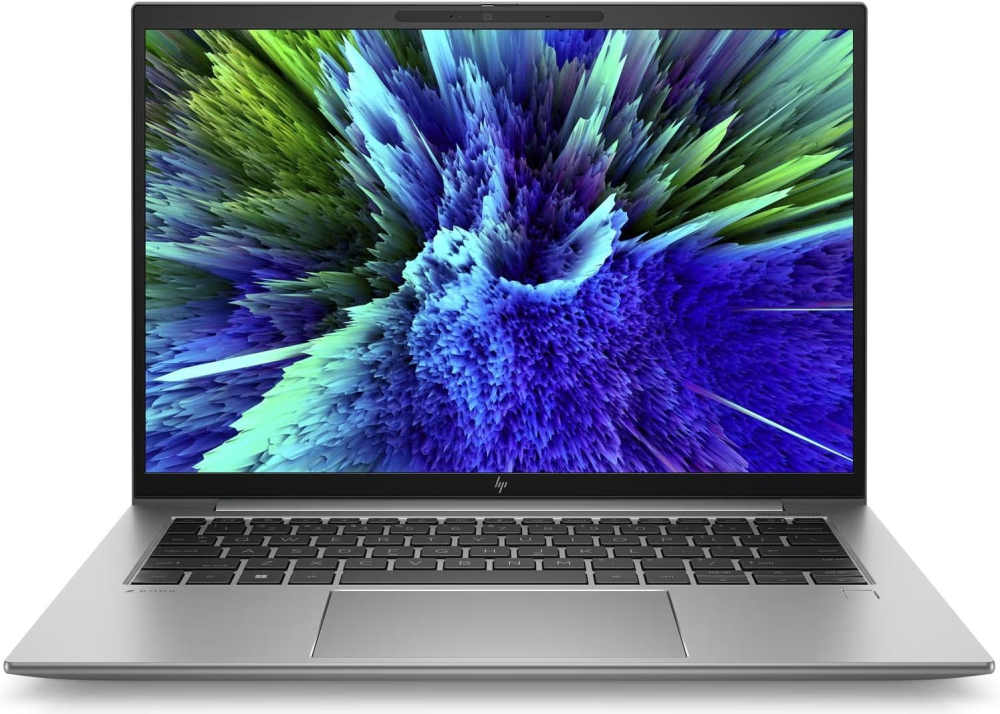
Physical Features
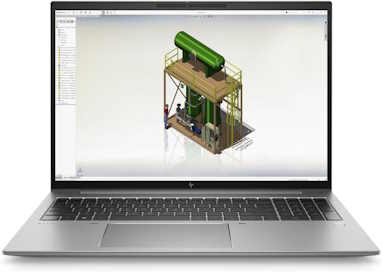
HP’s ZBook Firefly 16 G10 brings a portable workstation feel to a tidy 1.7 kg, brushed-metal body. Fit and finish evoke reliability, and the keyboard stays comfortably cool under light load while the fan remains whisper-soft under sustained CPU stress, the i7-1355U is deliberately restrained and tuned for quiet endurance rather than outright speed, with power limited to around 17 watts. The RTX A500 holds its ground in certified creative tools and light 3D tasks like Solidworks, though it won’t chase high-end gaming.
Battery life stands out. With 56 Wh pack, expect approximately 13 hours of video playback and about 12 when utilizing Solidworks,numbers rare in this class. Upgrade ability is solid with two DDR5 SODIMM slots supporting up to 64 GB, but only a single M.2 slot for storage.
In short, it’s a polished, endurance-focused workstation for mobile professionals who prioritize battery life and build quality over raw horsepower.
Features
- Feather-light 14-inch workstation (~3.2 lb)
- Aluminum chassis with a classy finish
- Keyboard is backlit and spill-resistant
- Battery: ~13 hours 18 minutes movie playback; ~12 hours 53 minutes under CAD workloads
- Rich connectivity: dual Thunderbolt 4, 802.11ax Wifi, Bluetooth 5.3, USB-A, HDMI, audio jack
Specs
- CPU: Intel Core i7-1355U
- GPU: NVIDIA RTX A500 4 GB (entry-level pro GPU)
- RAM: 16 GB DDR5
- Storage: 512 GB NVMe SSD
- Display: 14″ FHD IPS (1920×1200)
Pros
- Light and easy to carry for its class. Great for travel
- Excellent build quality and keyboard comfort
- Exceptional battery life for normal use
- Solid connectivity for everyday workstation tasks
Cons
- GPU performance modest, only suitable for simpler SolidWorks projects
- Color accuracy and gamut are limited. Less ideal for visual-heavy tasks
- Expandability constrained by single M.2 slot and no SD reader
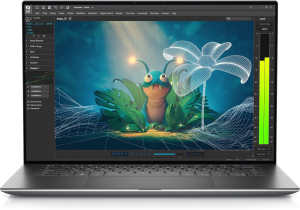
Dell Precision 5570
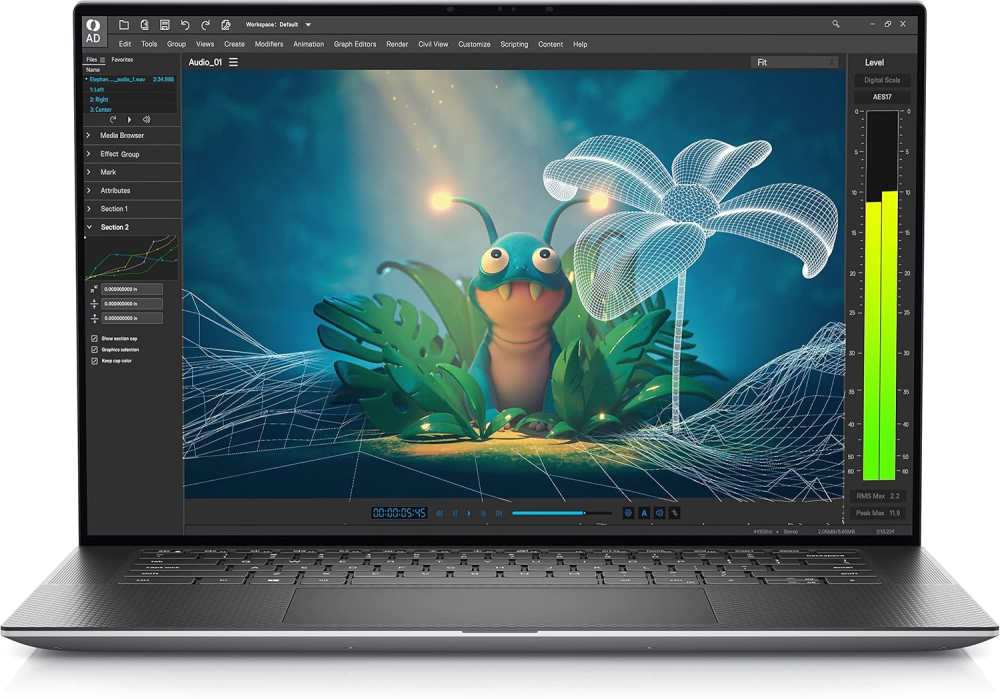
Physical Features
The Precision 5570 carves a compelling niche: powerful yet surprisingly svelte for a workstation. Its slim metal chassis feels more like an Ultrabook than your average mobile workstation, and it’s refreshingly light at around 4.6 pounds. The keyboard is snappy, with solid key travel, and the touchpad is responsive and sizable. Under light office use, the battery lasts about 6–7 hours with the larger 86 Wh option, though expect it to dip to around 3 hours during intense SolidWorks sessions.
- Sleek, aluminum build with rounded edges
- Weight: ~4.6 lb (with 86 Wh battery for better endurance)
- Battery: ~6–7 hrs light use; ~3 hrs under workload
- Slim profile, easy to carry in a backpack
- Good balance of ports: TB4, USB-C, HDMI, SD, audio jack
Specs
- CPU: Intel Core i7-12800H (14-core, 24 MB cache)
- GPU: NVIDIA RTX A1000 4 GB (Quadro-class, Ada)
- RAM: 32 GB DDR5 (upgradeable)
- Storage: 1 TB NVMe SSD
- Display: 15.6″ FHD+ IPS (1920×1200)
Pros
- Thin and portable, ideal for field or classroom use
- Certified Dell Precision, reliable for SolidWorks with pro drivers
- RTX A1000 offers respectable performance for mid-sized assemblies
- Upgradeable RAM and storage, with easy internal access
Cons
- Battery life under CAD load is limited
- GPU, though professional, may strain under very large models
- Display lacks 4K clarity, which could aid detailed visualization
Mid-Range Laptops for Solidworks – Top Picks
HP ZBook Power G11
Was: $2,699.00
Currently Unavailable
See on AmazonPrice incl. tax, excl. shipping
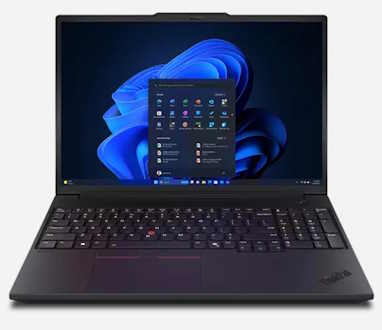
Lenovo ThinkPad P16v
Was: $2,779.99
Currently Unavailable
See on AmazonPrice incl. tax, excl. shipping
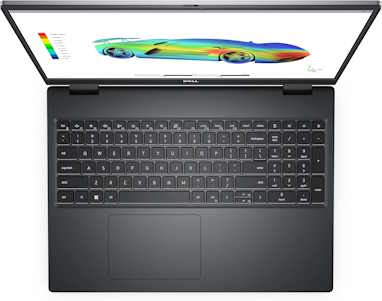
Dell Precision 7670 Workstation
Price: $1,299.00
See on AmazonPrice incl. tax, excl. shipping
HP ZBook Power G11
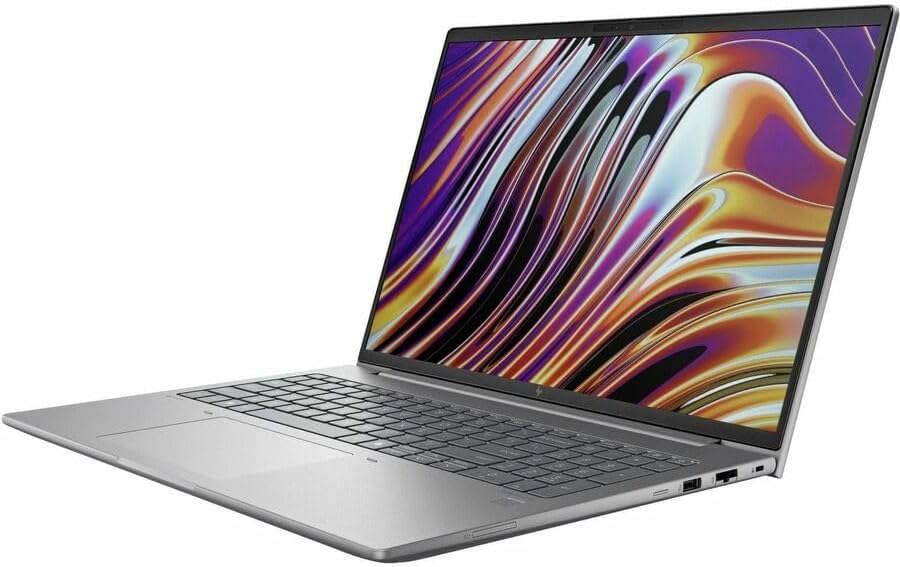
Physical Features
The Power G11 trades the classic ThinkPad look for an all-aluminum, silver chassis that reads more premium than rugged, though it still clears MIL-STD 810H testing. At 4.68 lb and 0.9 in thick, it’s sizeable for a 16-inch machine but not unwieldy. Build quality is solid throughout, and the keyboard deck feels stiff under pressure. Battery life is the standout: over 17 hours in looped video playback, among the longest of any workstation in this class.
Features
- Aluminum chassis: MIL-STD 810H tested
- 83 Wh battery, roughly 50% charge in 30 minutes
- Keyboard: firm, well-spaced, comfortable for long sessions
- Weight: about 4.7 lb, 0.9 in thick
- Connectivity: two Thunderbolt 4/USB4, two USB-A, HDMI 2.1, RJ45, optional SD or microSD reader
Specs
- Intel Core Ultra 9 185H (16-core)
- NVIDIA RTX 3000 Ada 8GB GDDR6
- RAM: 16–64 GB DDR5-5600; SSD: up to 2 TB PCIe Gen4
- Display: 16″ WUXGA (1920×1200) IPS, up to 1000 nits, ~45% NTSC
Pros:
- Exceptional battery life for a discrete-GPU workstation
- Strong GPU performance, well suited to CAD and rendering loads
- Ample, well-chosen port selection including dual Thunderbolt 4
- Fast charging keeps downtime minimal
Cons:
- Display resolution and sharpness lag behind the screen’s price bracket
- Limited color gamut, a drawback for color-sensitive rendering work
- Bulkier and heavier than most 15-inch competitors
Lenovo ThinkPad P16 v
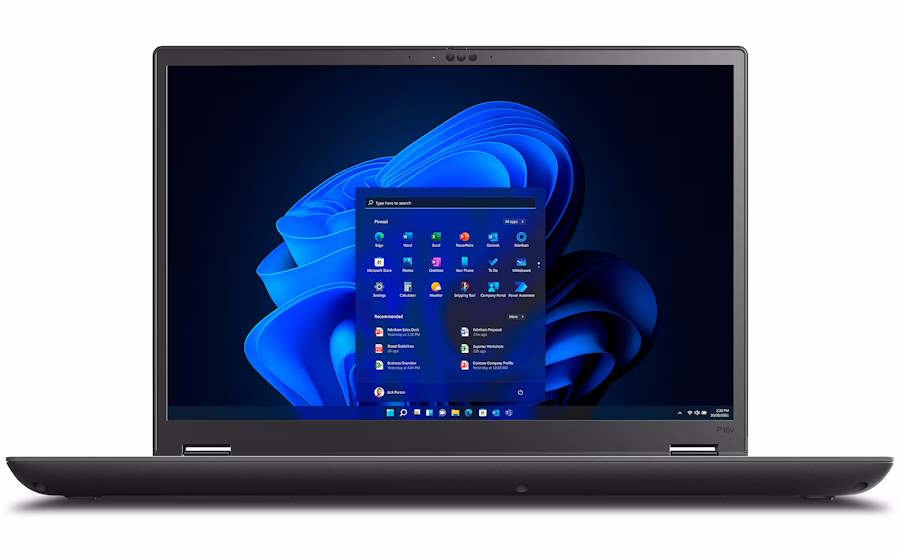
Physical Features
Built entirely of plastic despite its workstation price, the P16v Gen 2 still feels solid, not cheap, with the familiar black rubberized ThinkPad finish. At 4.89 lb and 24.66mm thick, it’s substantial but manageable for a 16-inch machine, and the lid opens one-handed. The keyboard holds the usual ThinkPad standard: deep travel, precise feedback. Battery life is strong for a workstation with this much power: around 13 hours of video playback on the 90 Wh cell.
Features
- Rubberized-finish chassis, plastic build but doesn’t feel it
- 90 Wh battery with Rapid Charge (80% in ~1 hr)
- Keyboard: classic ThinkPad feel, comfortable for long sessions
- Weight: 4.89 lb, 24.66mm thick
- Connectivity: two USB4 Type-C, one USB-A 3.2, HDMI 2.1, optional Nano-SIM and Smart Card reader
Specs
- Intel Core Ultra 7 155H / 165H, or Core Ultra 9 185H
- NVIDIA RTX 1000 / 2000 / 3000 Ada (up to 8GB GDDR6)
- RAM: up to 64GB DDR5; SSD: from 512GB, upgradable
- Display: 16″ WUXGA IPS 400 nits (1920×1200, touch optional), or 3840×2400 IPS with full DCI-P3
Pros:
- Excellent battery life given the hardware class
- Top display option hits full DCI-P3, strong for color-accurate work
- Solid keyboard and build quality despite plastic shell
- Good port selection with useful optional extras
Cons:
- All-plastic chassis feels out of step with the price tier
- Base 1200p display panels are unremarkable next to the 2400p option
- Heavier and thicker than most 15-inch alternatives
Dell Precision 7670 Workstation
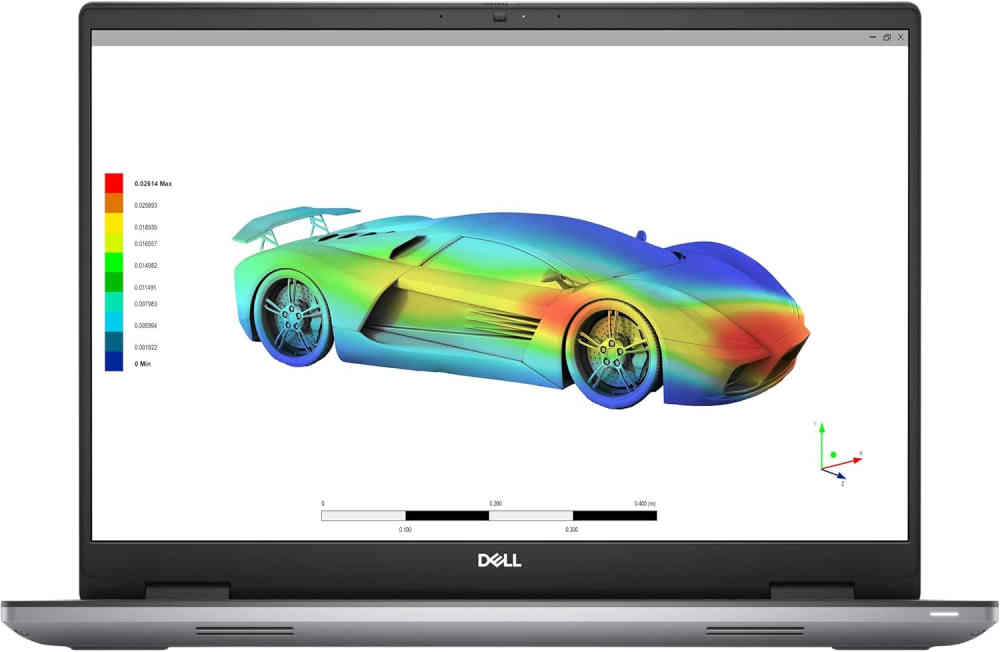
A purpose-built mobile powerhouse. The Precision 7670 carries serious desktop-caliber punch in a 16-inch package. It’s stable, sharp, and built for demanding creative or engineering work. However, just don’t expect marathon battery life.
Features
- Desktop-grade i7-12850HX with sustained PL1 performance under load
- Pro-grade RTX A4500 GPU with 16 GB VRAM for heavy 3D or simulation work
- Sturdy build with enterprise-ready port selection (Ethernet included)
- CAMM memory makes scaling RAM easier
- ExpressCharge brings battery up quickly when you do get to plug in
Specs
- CPU: Intel Core i7-12850HX, 16 cores (8P + 8E), up to 4.8 GHz
- GPU: NVIDIA RTX A4500 (16 GB GDDR6)
- RAM: 32 GB DDR5 (expandable via CAMM or SODIMM)
- Storage: 1 TB NVMe SSD
- Display: 16″ FHD+ anti-glare panel
- Battery: 83 Wh (93 Wh optional with GPU upgrade)
Pros
- Near-desktop speed for heavy multitasking, CAD and rendering workflows
- Professional-grade graphics muscle that stays cool and responsive under long sessions
- Rich I/O options including Ethernet, multiple Thunderbolt, and legacy ports still present
- Felt solid and purposeful in actual use; built with long workdays in mind
Cons
- Battery life isn’t a highlight. In typical tests, the 83 Wh pack delivers about 10 hours 27 minutes of web browsing and 8 hours 38 minutes of video playback at 120 nits screen brightness on “Better performance” settings
- Real-world use tends to drop those numbers further AS people report around 2–3 hours of meaningful unplugged use unless you dial back brightness and power
- Thinner than some rivals but doesn’t push any cooling miracles. Other models may squeeze slightly better sustained CPU performance
High-End Laptops for Solidworks – Top Picks
HP ZBook Fury G11
Price: $4,299.21
1 Reviews
See on AmazonPrice incl. tax, excl. shipping
Lenovo ThinkPad P16 Gen 3
Price: $3,379.00
See on AmazonPrice incl. tax, excl. shipping
Dell Precision 7780 Mobile Workstation
Price: $3,899.99
1 Reviews
See on AmazonPrice incl. tax, excl. shipping
Lenovo ThinkPad P16 Gen 3
Physical Features
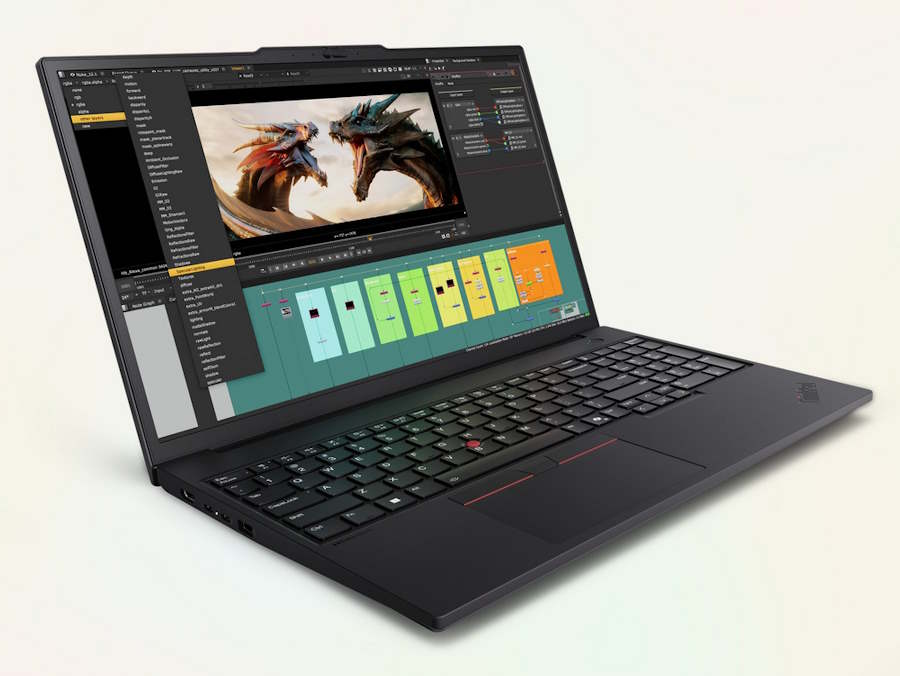
This is the biggest, heaviest ThinkPad in the lineup, and it looks the part: black aluminum-magnesium chassis, large rear exhaust vents, and a footprint closer to a desktop replacement than a portable. At 5.6 lb and up to 29.8mm thick at the rear, it’s not something you’ll want to carry daily, but the build is rock solid and the keyboard, numeric keypad included, remains excellent. The 99.9 Wh battery is the largest allowed in carry-on luggage and holds up reasonably well given the hardware inside, around 7 hours on general office workloads.
Features
- Aluminum-magnesium chassis with large rear-mounted cooling vents
- 99.9 Wh battery, rapid charge to 80% in about 1 hour, charges via USB-C
- Keyboard: full numeric keypad, dual TrackPoint system, 1.5mm key travel
- Weight: 5.6 lb, tapered 15.8–29.8mm thickness
- Connectivity: two Thunderbolt 5, one Thunderbolt 4, two USB-A, HDMI 2.1, RJ45 2.5GbE, SD Express card reader
Specs
- Intel Core Ultra 9 285HX / 275HX (up to 24 cores)
- NVIDIA RTX PRO 5000 Blackwell, up to 24GB GDDR7
- RAM: up to 192GB DDR5; SSD: up to 12TB across three M.2 slots
- Display: 16″ WUXGA IPS, 3.2K 120Hz OLED, or WQUXGA (3840×2400) IPS options
Pros:
- Top-tier CPU and GPU performance for CAD, rendering, and simulation
- Extensive port selection, including dual Thunderbolt 5
- Massive upgrade headroom on RAM and storage
- Strong battery life relative to its hardware class
Cons:
- Heaviest and thickest ThinkPad in the current lineup
- Numeric keypad crowds the keyboard layout for some users
- GPU is power-limited compared to desktop-class competitors at the same tier
HP ZBook Fury G11
Physical Features
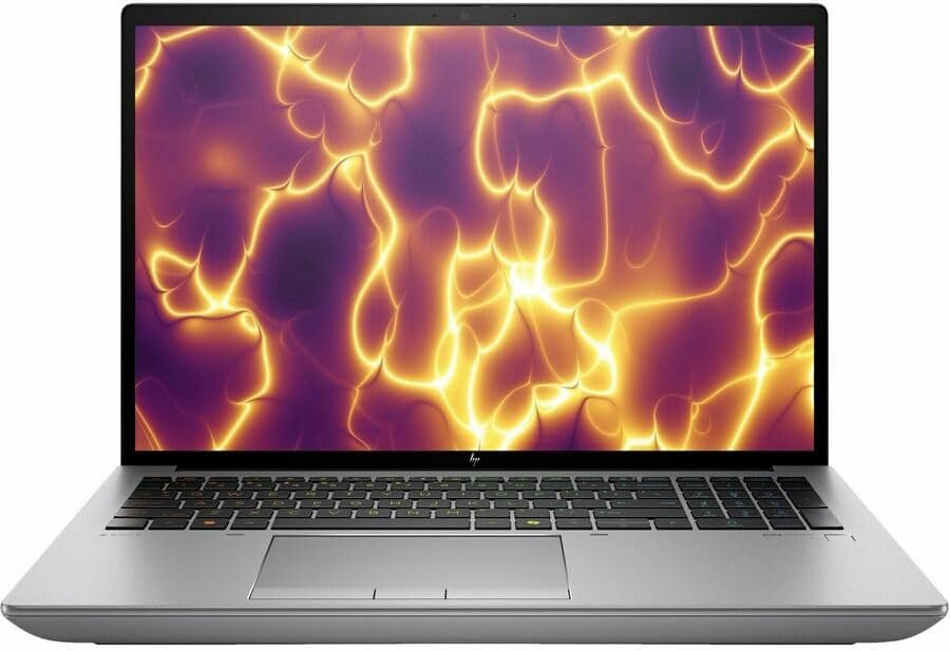
A serious workstation in a chunky 16-inch shell. It’s built to handle heavy 3D rendering or engineering tasks with desktop-level power, though the battery life might bring you back to earth. In short, the Fury G11 is a beast built for serious work, but its Achilles’ heel is battery. If you’re unplugged often, it reminds you quickly: power tools need power.
- High-end, 24-core Intel i9-13950HX vPro with Turbo up to 5.5 GHz
- RTX 4000 Ada GPU with 12 GB GDDR6, certified for pro apps
- Spacious 95 Wh battery with fast-charge support
- Built-in enterprise protections: spill-resistant keyboard, Sure Start BIOS, vPro tech
- Multiple SSD slots, DDR5 support up to 128 GB
- Modern connectivity including Wi-Fi 7, Thunderbolt 4/USB4, HDMI 2.1, and Ethernet jack
Specs
- Processor: Intel Core i9-13950HX (24 cores, 32 threads, up to 5.5 GHz)
- GPU: NVIDIA RTX 4000 Ada Laptop GPU (12 GB GDDR6)
- Memory: 64 GB DDR5-5600 (expandable up to 128 GB)
- Storage: 2 TB NVMe SSD, customizable with multiple slots
- Display: 16″ WQUXGA (3840×2400) DreamColor IPS, 120 Hz, 500 nits, 100% DCI-P3
- Battery: 8-cell 95 Wh Li-ion polymer, fast charged
- Weight/Size: About 2.4 kg (5.3 lb); thicker than average for 16″ laptops
Pros
- Blurs the line between mobile and desktop—handles heavy renders and multitasking without blinking.
- Pro-grade GPU and color-accurate panel serve creative and engineering users well.
- Sturdy build with enterprise features that feel built-to-last—good for long-term deployment.
- Ports are generous and future-proof: Ethernet, Thunderbolt 4, HDMI 2.1.
Cons
- Battery life is underwhelming. One real-world test saw only 1 hour 50 minutes of runtime.
- Customer reviews point to similarly poor unplugged use—one user timed it at about 1 hour 45 minutes.
- It’s heavy and thick—portable, yes, but you’ll feel it in your bag every day.
- A few early users report headaches like fan noise or minor hardware issues (camera/sleep behavior), though not widespread.
Dell Precision 7780

Physical Features
This is a big, roomy workstation with17.3″ of workspace and a chassis built for serious performance. The keyboard and large trackpad are serviceable; nothing flashy, but nothing fragile. It’s a weight anchor (~7 lb), so use with care in transit. Battery life is okay for light productivity, but heavy GPU work drags runtime to 3–5 hrs. Thermals are well contained, though some users report high temperatures under extreme use.
- Extra large display: campus-oriented 17.3″ real estate
- Battery: ~3–5 hrs under CAD; longer when idle
- Thermals: solid, but chassis can run warm
- Ports: generous suite, including multiple Thunderbolt and Ethernet
Specs
- CPU: Intel Core i9-13950HX (24-core)
- GPU: NVIDIA RTX A4000 16GB (Ada)
- RAM: 64 GB DDR5
- Storage: 2 TB NVMe SSD
- Display: 17.3″ UHD+ 3840×2400 IPS (top-tier build)
Pros
- Huge screen gains—massive workspace for dual CAD panels
- Fully specced for the most demanding SolidWorks tasks
- Excellent thermal handling keeps performance steady
- Upgradeable and ISV-certified. Ideal for long-term use
Cons
- Very heavy. Portable-only in the loosest sense
- Short battery life during heavy drafting or rendering
- Cost climbs steeply in top configurations
Conclusion
We hope this comprehensive guide has afforded you the opportunity to make an intelligent buying decision. If you liked this article, don’t forget to check out our PC build guides. Our other reviews are also full of content you might also like. Don’t hesitate to drop your comments below. Let’s know your thoughts.
This guide really helped me pick between AMD and Intel budget builds. Didn’t realize GPU price mattered this much until I read this. Going with AMD Budget build. Thank you!
Good to know you found it helpful.
Hardware encoding through NVENC cutting export time dramatically without taxing the CPU simultaneously is the efficiency gain most editors appreciate most. Found some solid options for professional GPU rendering over at Orange Hardwares dot com… worth checking before deciding.
Informative article! it clearly explains how a discrete GPU can improve video editing performance, especially for high resolution footage, effects, color grading, and faster rendering.
Good to know you found it useful